For churches & ministries
From “the sanctuary AC is out” to fixed before Sunday.
Every building, work order, event, and volunteer — one platform, unlimited users, one flat price.
Unlimited users · No credit card to start
7:42 AM
Room 114 · Sanctuary
Reported: AC not cooling
Anyone can report — no login
7:43 AM
AC not cooling — Sanctuary
HighAssigned · HVAC team
2:06 PM
Work order #1284 closed
Verified with photo · 6h 24m to close
Sanctuary AHU · Service history
AC repair · Today
7:42 AM
Room 114 · Sanctuary
Reported: AC not cooling
Anyone can report — no login
7:43 AM
AC not cooling — Sanctuary
HighAssigned · HVAC team
2:06 PM
Work order #1284 closed
Verified with photo · 6h 24m to close
Sanctuary AHU · Service history
AC repair · Today
A day in WiseHQ: at 7:42 AM someone scans a room QR code and reports an issue with no login. At 7:43 AM a work order is created and routed to the right team. At 9:15 AM WiseHQ AI answers a maintenance question, citing the equipment manual. At 10:30 AM preventive maintenance is scheduled. At 2:06 PM the work order is closed with photo verification and the asset's service history is updated. Timestamps are illustrative: 7:42 AM, 7:43 AM, 9:15 AM, 10:30 AM, 2:06 PM.
The weekly reality
A church building never gets a day off
Sunday is the deadline that never moves — and the building rarely cooperates.
Problems reach you by text, hallway, and sticky note. A volunteer spots the leak Saturday night, tells whoever's nearby, and it reaches the facilities inbox — maybe — by Tuesday.
The weekend-to-weekday flip is improvised every week. The same rooms are Sunday school on Sunday and something else entirely on Monday. Setups, teardowns, and room-state handoffs live in someone's head.
Five disconnected tools, none of them talking. Scheduling in one app, work requests in email, documents in a filing cabinet, the vendor list in a truck. Nothing converges.
Per-seat pricing punishes you for involving people. Churches run on many hands. Software that charges per user forces you to leave most of them out — so most problems go unreported.
WiseHQ AI
Ask your insurance policy a question. Get a cited answer.
- Reads your policies, leases, warranties, and manuals
- Every answer cites the document and page it came from
- Works on your phone, standing in front of the problem
WiseHQ AI
Yes — Section 5.a covers sudden water damage, with a $1,000 deductible per occurrence. Gradual seepage is excluded.
Church-Property-Policy-2026.pdf · p. 9
QR reporting
Volunteers report problems in 10 seconds. No login, no training.
- Tap-to-add symptoms write the description automatically
- Duplicate reports get merged, not multiplied
- Routes by category to the right team — facilities, AV, hospitality
Scanned — no login needed
Nursery · Children's Wing
What's wrong?
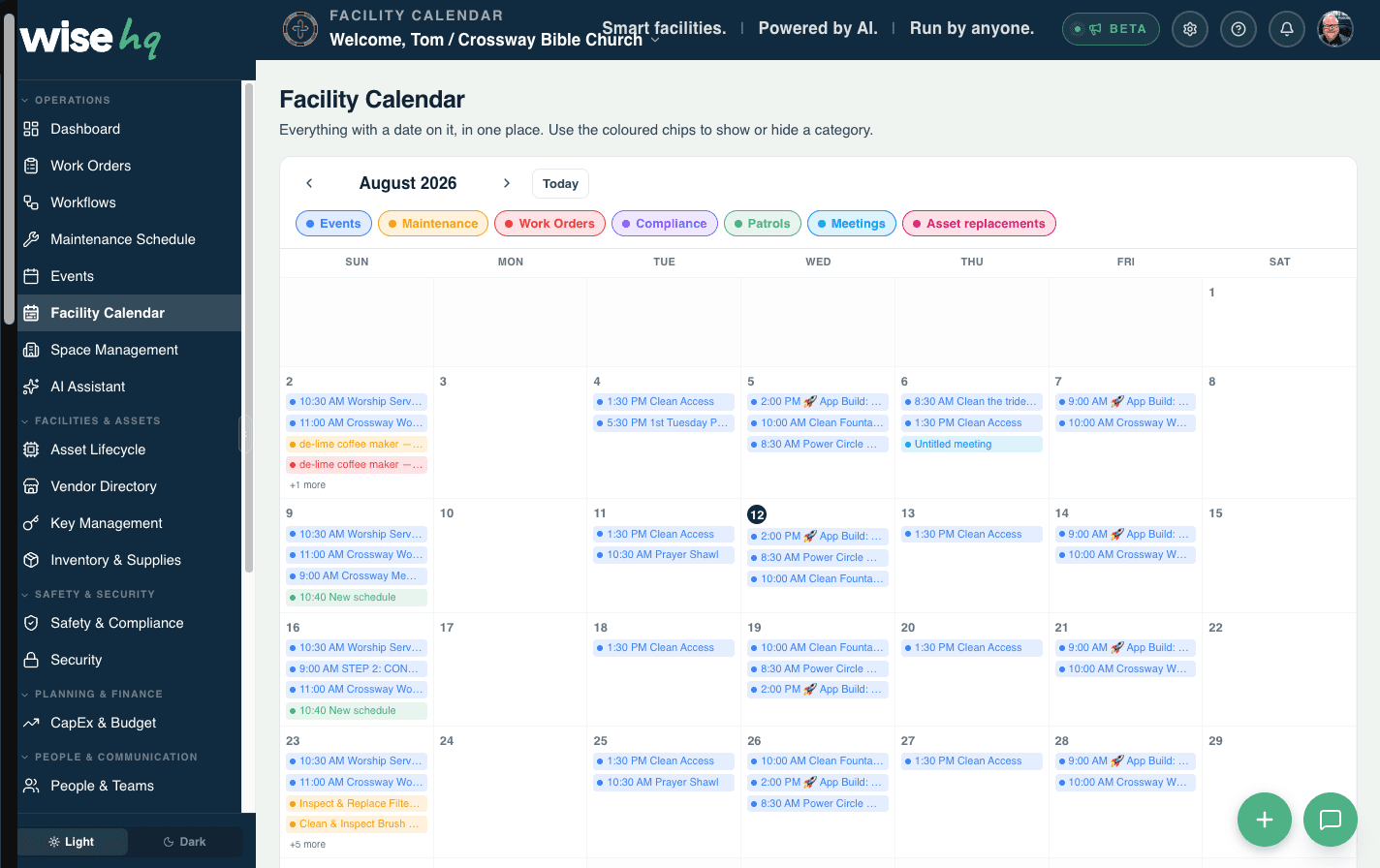
Events & facility calendar
One calendar for every ministry — and zero double-bookings
- Rooms and resources booked per event, conflicts blocked
- Setup and teardown time built into every booking
- Maintenance and events share the calendar, so work never lands mid-service
Planning Center
Your people, pulled in automatically — and kept current
- People arrive automatically — no re-typing your directory
- Read-only pull: WiseHQ never changes your Planning Center data
- Sunday headcounts pulled from Planning Center Check-Ins
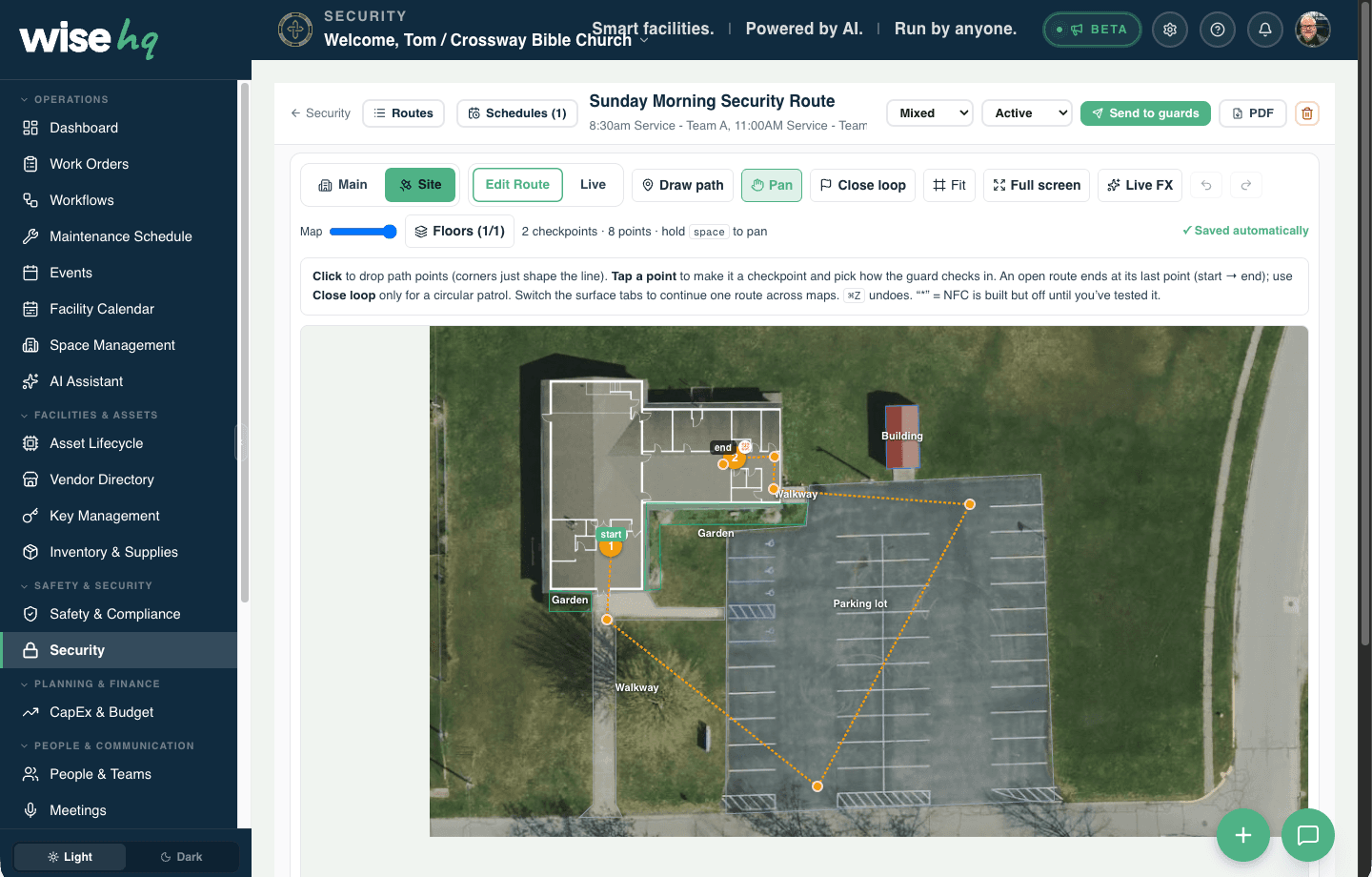
Security & patrols
Your safety team, on a map of your actual campus
- Routes drawn across your campus — buildings, walkways, parking lots
- Checkpoints with phone check-ins as the team walks
- A schedule per service, sent to that team — 8:30 and 11:00 each get theirs
Churches with schools & daycares
Runs the school down the hall, too
- One calendar for ministry and licensed care hours — care hours can't move, so double-bookings are blocked at the source
- Facility-use tracking knows which rooms are licensed childcare space, with the inspection trail to prove it
- One QR intake for both organizations — teachers, staff, and volunteers report to the same stream
Playground surfacing inspection
CurrentFire drill log — daycare wing
CurrentRoom 112 sanitation checklist
Due todayEvery record time-stamped, with the document attached.
One platform
Everything else your campus needs
Every module talks to the others — and to the AI. One tool instead of five.
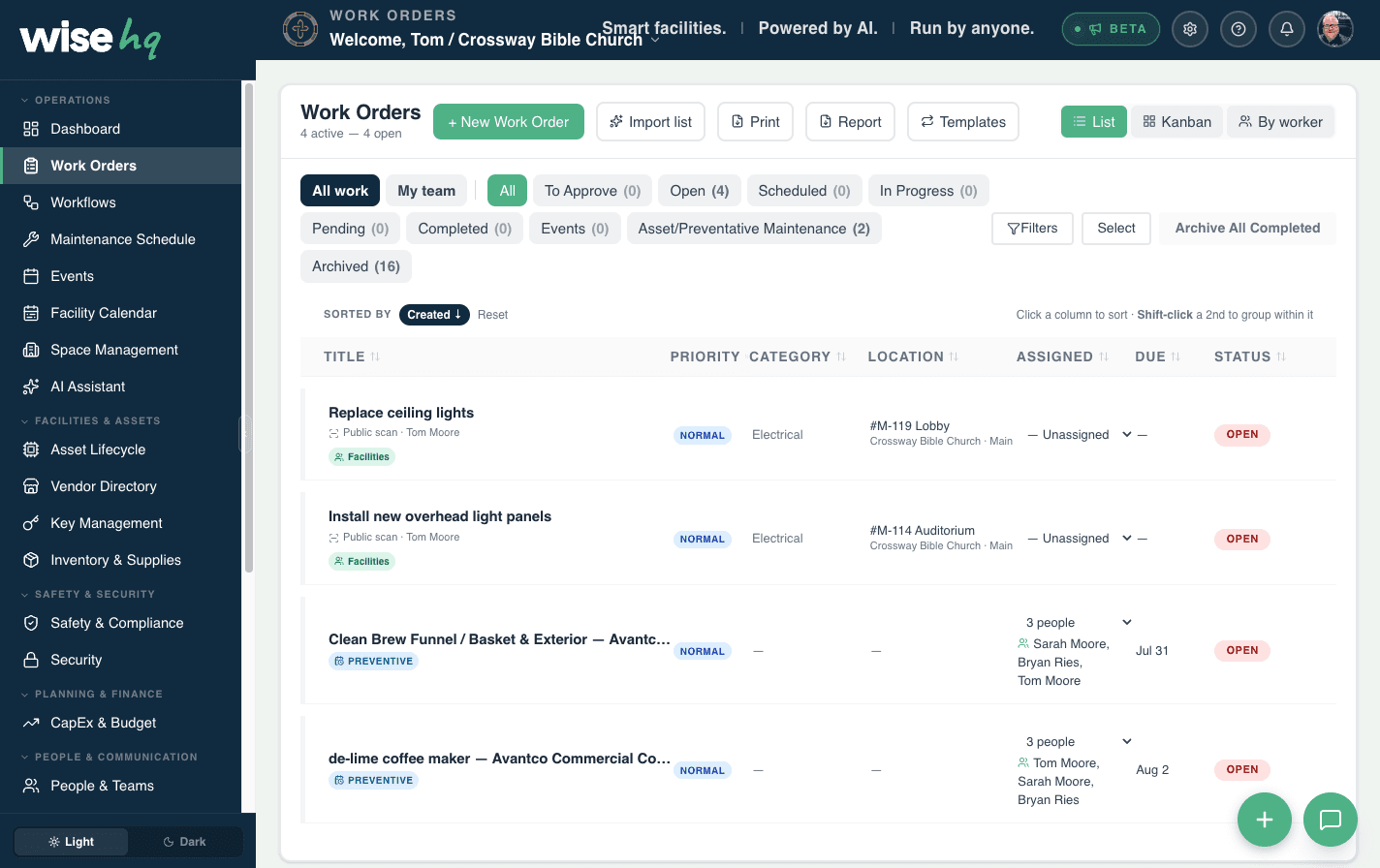
Preventive maintenance
Schedules that become real work orders before things break — never after.
Assets & lifecycle
Every system's age, health, and QR-tagged history — with replacement forecasts.
Capital planning
A multi-year replacement plan your board can read, downloadable as a PDF.
Floor plans & room QRs
Draw or trace your buildings, print QR signs, and give every room a living history.
Inventory & supplies
Counts, low-stock alerts, and barcode scanning — never out of filters or bulbs.
Vendors & community
Your vendor bench with ratings, insurance tracking, and an AI finder for new ones.
Mobile app & push
The whole platform in the field: scan, photograph, clock in, and get notified.
Messaging & teams
Channels, DMs, and per-person permissions — unlimited people on every plan.
Questions
What church teams ask us
The honest answers, before you fill out a form.
We're on eSPACE. What does switching look like?
Can volunteers report problems without accounts?
How does pricing work?
Does it work with Planning Center?
Is there a mobile app?
We run a school and a church in the same building. Two accounts?
Fixed before Sunday — every week
Start free for 14 days, then 20% off for the rest of the public beta. Bring your staff, your volunteers, and the school down the hall — users are always unlimited.